A statement of work (SOW) is a formal document that clearly defines the scope, tasks, deliverables, timelines, and responsibilities for a project or service agreement. It outlines what will be done, how it’ll be done, and under what conditions, ensuring all parties share the same expectations before work begins.
As a freelancer, I’ve had my share of client relationships where work ends up falling way out of scope: the project would drag on for too long, or I wouldn’t get the resources I needed to work efficiently. My clients meant well, but we didn’t establish a solid game plan ahead of time.
That’s why I’ve started using a statement of work (SOW) with new clients: it lets us establish a process ahead of time and ensures we’re on the same page before diving in. Here, I’m sharing the free SOW template I created. Make a copy and tweak it using the instructions below.
Table of contents:
What is a statement of work (SOW)?
A statement of work (SOW) is a document that defines all the agreed upon components of a project, including specific tasks, deliverables, and milestones. An SOW is commonly used to establish expectations and prevent misunderstandings between parties.
What does a statement of work include?
Here’s what’s included in an SOW:
-
The project overview
-
The project’s purpose and objectives
-
A breakdown of tasks and deliverables
-
The project timeline, including milestones
-
A list of required resources
-
The location where the work will happen
-
The client’s budget, pricing for each deliverable, and a payment schedule
-
Definitions of special terms and conditions
Statement of work (SOW) generator
If you need only one-off statements of work, you can use this SOW generator (built with Zapier Chatbots). It will gather the relevant details from you and generate a SOW that you can then copy and paste into any document.
Remember: Chatbots use AI models. Because AI is a new technology that generates dynamic on-demand responses, we always encourage you to fact-check and verify responses are correct/meet your needs.
Statement of work template
Here’s a statement of work template you can copy and build upon for your next project. It’s a Google Doc, but you can download it in other formats like .doc or .pdf.
This template statement of work includes basic phrasing to base your SOW terms on—feel free to expand on them or modify them to make sense for you. And remember, if you need legally binding language in your SOW, work with a lawyer to get the details right.
How to complete your SOW template
Here’s a step-by-step guide on how to complete the SOW template.
1. Label your SOW
After you’ve made a copy of the SOW template, label it as a statement of work, and include your business name and client’s name. I like to include an SOW number for easier tracking. I base that on the date, but you can also just number them in the order you create them. Build a numbering system that enables you to organize your SOWs in a way that works for you.

2. Write an introduction
The introduction provides a quick overview of the people, goals, and work involved in the project. No need to go super deep here. Just make a high-level summary to reference what the document’s about.

3. Define the purpose and objectives
The purpose and objectives will establish why you’re doing this project and what you and the client want to achieve. What problem are you trying to solve, and what return on investment do you expect? Some businesses mention key performance indicators (KPIs) here, so you can add them if they’ll help you stay on track.

4. List the project’s tasks
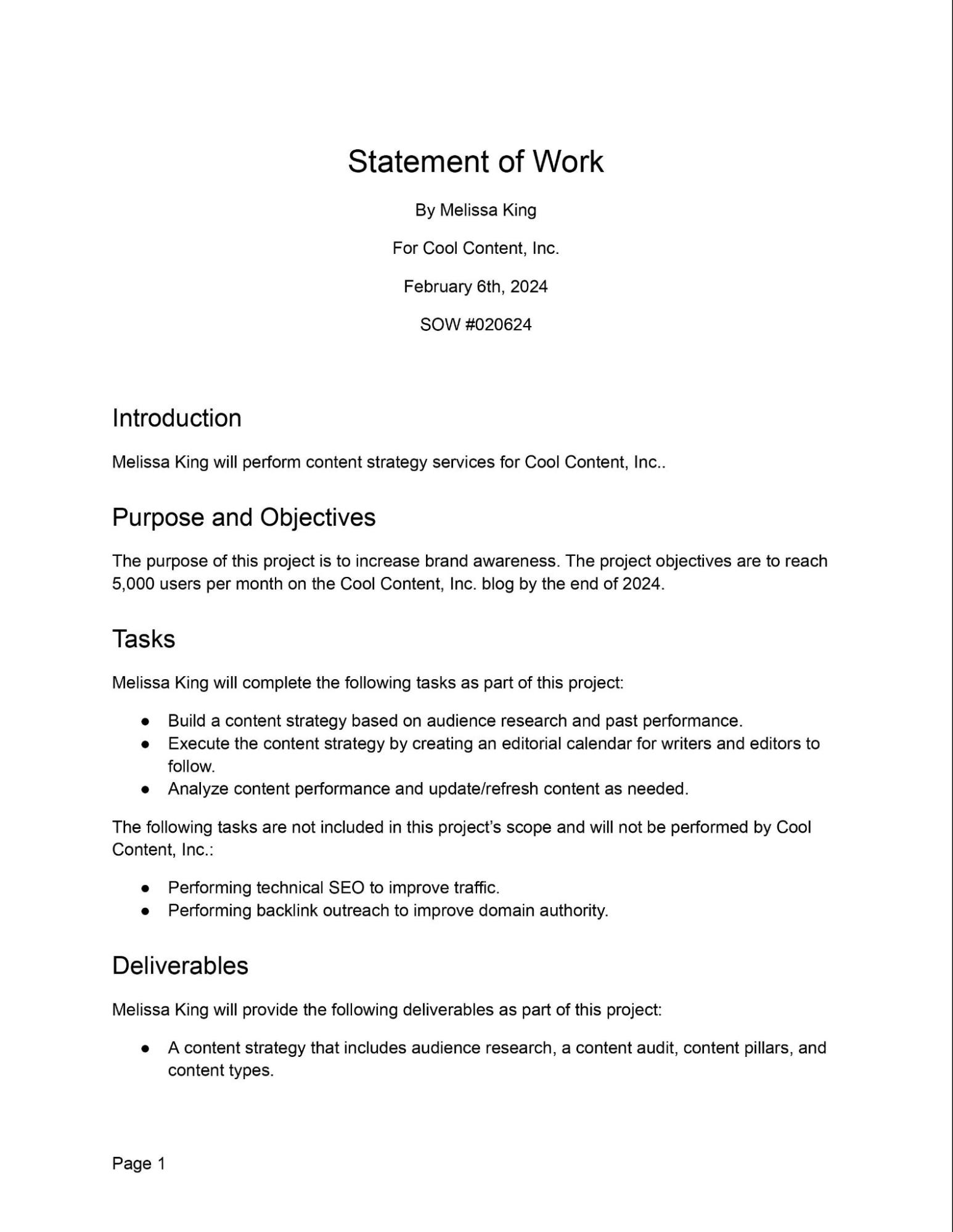
These are the tasks you’ll complete to fulfill this project. Don’t be afraid to get too specific in this section, since it defines the labor you’ll do for the project. As I do in the SOW example screenshot below, consider listing what tasks you won’t do to avoid scope creep.
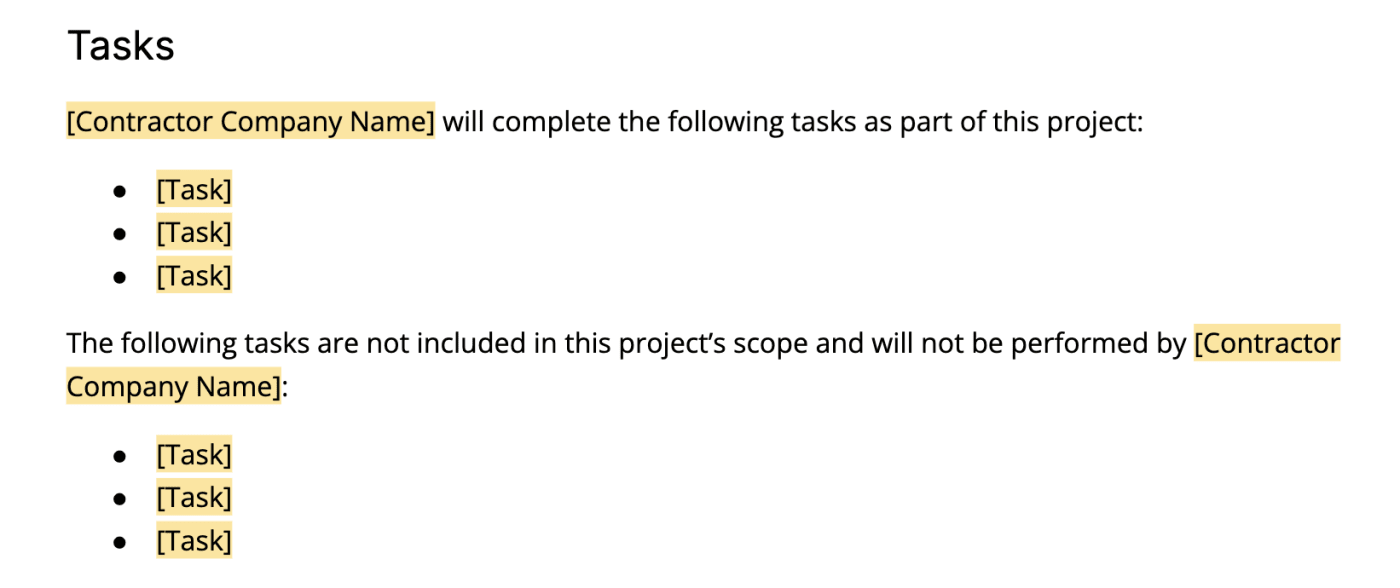
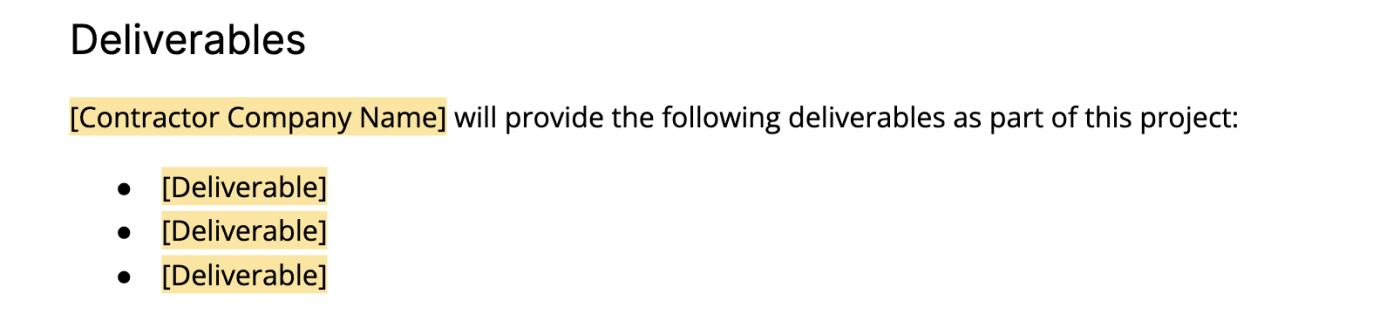
5. List the project’s deliverables
The deliverables are the products or services you’ll provide that your tasks will contribute to: the digital or physical items you hand over to your client. For example, if your task is to design graphics, the deliverable would be the graphics themselves.
Deliverables fall into two categories.
-
Process deliverables push a project forward, but they don’t complete the project—for example, a blog post outline.
-
Product deliverables are the final results that meet the project requirements—for example, a completed blog post.
Include both types of deliverables in this section to keep your project on track in every phase.
6. Add the project’s schedule
Here’s where you’ll put the timeline of the project, ideally broken down into phases and marked by milestones. Depending on your and your client’s work, work style, and preferences, you might also include the hours required to complete each task and deliverable. Recurring projects like retainer contracts can include repeating deadlines in the schedule.
Think about using a project management tool to break down your tasks, deliverables, and milestones for your SOW. You’ll be able to see all those factors in a clearer timeline when you organize them into individual items on your software. Plus, collaboration features will help you iron out the details with your colleagues.
7. Establish the working location
Write down where the resources you’ll need to perform the work are located and where you’ll actually complete the work. If applicable, also mention which places you won’t do work. For example, you might prefer to do all digital work remotely, not at the client’s business.

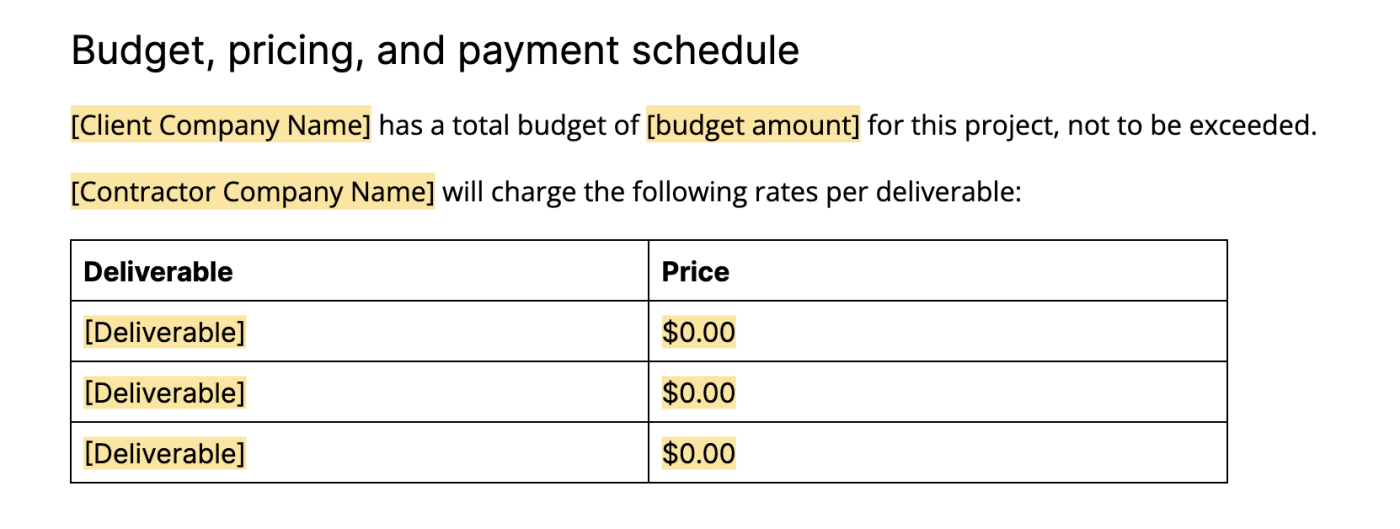
8. Outline the budget, pricing, and payment schedule
Outline all things money-related here. List the client’s budget for this project, then your pricing for each deliverable. After that, write out the schedule on which you’ll get paid. You can also include pricing terms like net 30 (payment 30 days after invoice) here if applicable.
Note: After you get your SOW sorted out and signed, use Zapier’s invoice templates or your invoicing software to get paid.
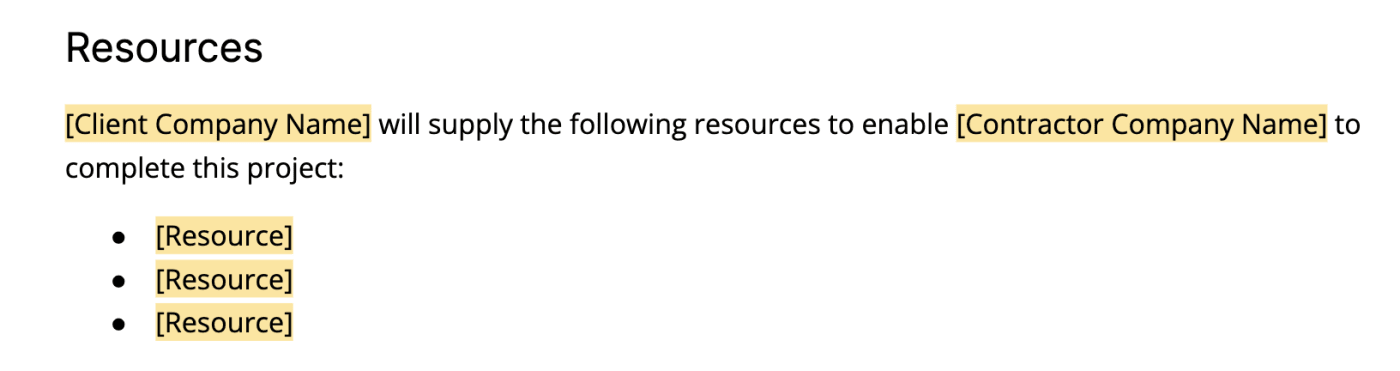
9. List all required resources
List here any resources you’ll need from the client to complete the project, such as equipment or documentation. This isn’t a traditional SOW section, but I find it helps projects that involve a lot of back-and-forth, like writing assignments. (Hat tip to Peak Freelance for inspiring this section with a similar idea in their statement of work example.)
10. Define special terms and conditions
Put any extra terms or requirements here that don’t fit into any other categories. Examples include review and testing processes, industry standards, and required security measures. If any miscellaneous terms get too long, that’s a sign you should add a new section to the template.
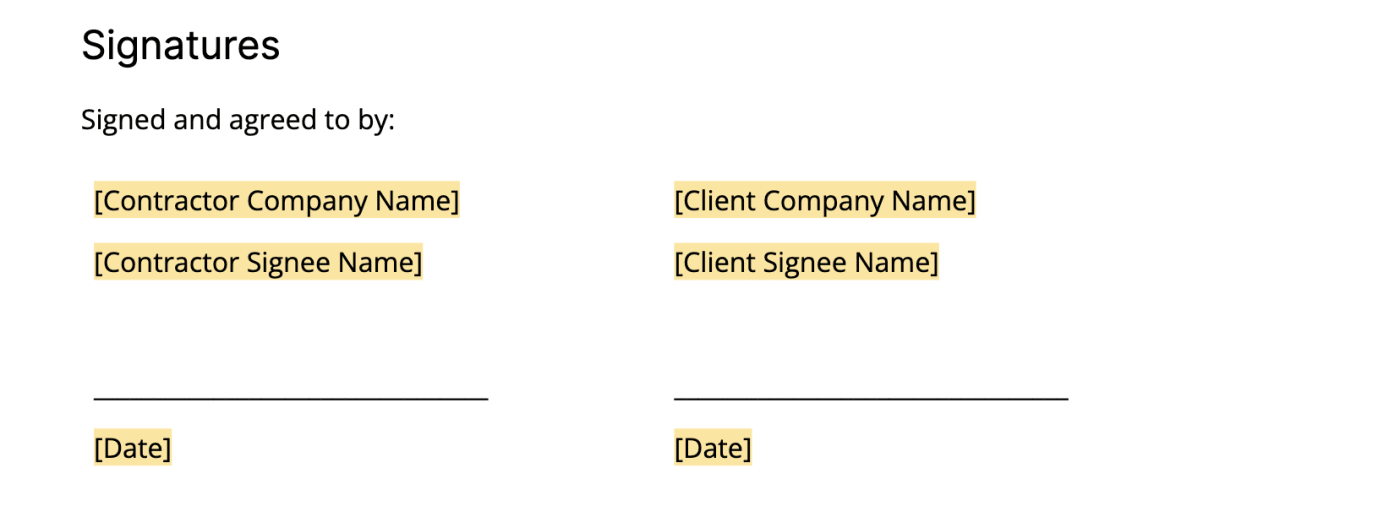
11. Sign the SOW
Always get your SOWs signed by an authority figure from both parties. You can sign in person, or you can upload my statement of work sample to your electronic signature app, and then assign the signature spaces to each signer within your app.
Statement of work example
Now that you know all of the parts that go into an SOW, I’ll show you what it might look like in action. Click on the preview below to see a completed version of the template.
Tips for creating a statement of work
When you’re following along with a sample statement of work, it can be easy to slip into template mode, so keep these best practices in mind:
-
Save time with automation. Use Zapier to streamline the way you create your SOWs. With it, you can build a reusable SOW template and automatically populate it with the details of each new project. Pull information from tools you already use—like your CRM, intake forms, or project management apps—and let Zapier fill in key sections for you. You can also use Zapier to connect Google Docs with an AI writing generator so it can suggest clearer descriptions, timelines, or deliverables.
-
Communicate with your client as you create your SOW. Let your client know what kinds of terms you plan on including in your SOW before handing it over to sign. Consider collaborating in a program like Google Docs before making a final copy. Invite your client to add suggestions, and add comments to give context to your terms.
-
Use consistent language. Use the same language to refer to the same important concepts in your SOW. For example, always call your briefs “briefs”—don’t switch to “overview” in some sections.
-
Be specific where it matters. If you have certain expectations in mind for parts of the project, specify them in the SOW. Pay extra attention to the language you use in the sections you care about, such as when describing deliverables and defining what you won’t do.
Statement of work vs. other documents
A statement of work covers only the specifics of a project—it doesn’t take the place of other key documents such as a contractor agreement, which goes into details like NDAs and deliverable ownership. Here’s how a statement of work compares to other common documents.
Statement of work vs. scope of work
The scope of work is a section within an SOW that specifically defines the boundaries, objectives, and tasks of a project. The statement of work provides the full project framework—including the scope of work—along with timelines, responsibilities, and terms.
Statement of work vs. service level agreement (SLA)
An SLA defines the performance standards, quality expectations, and service commitments between a provider and a client. An SOW, on the other hand, focuses on the project scope, responsibilities, and deliverables.
Statement of work vs. contract
A contract is a legally binding agreement that outlines the overall terms, conditions, and obligations between parties, while an SOW details the specific tasks, deliverables, and timelines within that agreement. An SOW can be legally binding, but you should work with a lawyer if that’s your main goal.
Note: I’m not a lawyer, and I designed this document mainly as a project management and communication tool.
SOW format: Does the format matter?
It’s easy to get caught up in your SOW’s formatting and sections. But remember: your statement of work is, first and foremost, a tool for you and your client to communicate expectations and boundaries. Don’t sweat the format too much—just keep everything consistent. And if there’s a section in this template that doesn’t serve you and your client, you can nix it.
Rather than worrying about making your statement of work as professional as possible, focus on questions like:
-
Am I setting up an equitable relationship with my client?
-
Does my SOW clearly communicate terms that will be important to reference later on?
-
Am I accounting for all of the ways I can protect my business while respecting my client’s needs?
Automate your statement of work with Zapier
If you’re using the same template over and over again, it’s ripe for automation. You can use Zapier to connect Google Docs with thousands of other apps, so you can orchestrate multi-step workflows that automatically handle the rest of your document-related tasks.
For example, you can automatically populate your SOW template with data from other apps, use AI to refine the draft or expand key sections, and send the finalized document to your client for review via email or a project management tool. Here are a few pre-made workflows to get you started.
Zapier is the most connected AI orchestration platform—integrating with thousands of apps from partners like Google, Salesforce, and Microsoft. Use interfaces, data tables, and logic to build secure, automated, AI-powered systems for your business-critical workflows across your organization’s technology stack. Learn more.
Stick to your SOW terms
Your SOW will establish boundaries for your projects, and it’s ok to push back on out-of-scope requests or ask to renegotiate. But this rule also goes the other way around: your SOW is a promise you’ve made to your client that you need to keep.
Related reading:
This article was originally published in February 2024. The most recent update, with contributions from Jessica Lau, was in December 2025.